You know in every movie you get a kick out of there is some scene that is memorable. The one where the Joker dressed as an artist goes through the museum with boom-box and spray paint making adjustments to great works of art in Gotham City. Or in Star Wars, Luke discovers "open source", I mean the force. He gets reminded by a whisper later " use open source Luke", I mean "use the force Luke". Obiwan says "you have entered into a wider reality" or something like that. In the DOS days, I remember the free trade of software. It was sporting to put your stuff out there for others to use and fiddle with. Soon however, this practice faded away. The software got better and user rights became pinched with price and user agreements and copyright restrictions. Software became marketable entities. Of course with continuing improvements and growing user base, prices go up also and user restrictions become binding but veiled threats (who reads those things anyway). There is word of mouth, ads, and of course comparisons. The psychological leverage of a name brand says that buying this you will succeed. Why then open source?, because guys with the best engineered sneakers in the world are consistently beaten by guys with running shoes made from recycled tire treads!!! Today you have a choice to spend the bucks or "borrow" a copy or get for free the means to manipulate a Bezier curve. If the Bezier curve is a standard in vector graphics, you are paying good money for what if the priced and free programs do the exact same thing. So you are aspiring to get into computer graphics, want to play with the tools before you commit big bucks for a "professional graphics suite", or you are considering putting it all on the back burner because you can't afford to get the "pro tools", yet. You need to change your thinking, open source is here to meet your aspirations and demands. Without the man, walking or running, a sneaker (any brand name) is just a foot covering. If you become great at Bezier curves, it doesn't matter the software that does them. So, in this corner, Adobe's Photoshop and Illustrator, in the other, behind the brand-X mask, GIMP, Inkscape, Sodipodi, OpenOffice.org Draw, Scribus, Xara Xtreme to name a few. Let the developers compete, but you the user can reap the spoils because you are "the user".
There is a difference between computer aided drafting and fine art drawing. Drafting involves the accurate dimensions of things and diagrams closely tied to grids for neat efficient appearance. Fine art drawing on the computer is a lot of eyeball judgment. With fine art drawing, there are pen and tablet devices that are a little better than drawing with a mouse. But the main thing is the required methods to get things done I call a work flow. Work flows are how things are done, draw a line, adjust a line, erase a line. Then working with layers is so different than doing it on paper. The advantage is that you can isolate elements, adjust only those elements without effecting the elements on other layers. Say you have a background and a foreground with your picture. You could trim around your image so that the background would show through when viewed together. Then you could change either the foreground or background at your discretion.
The most wonderful thing on a pencil is a large eraser, on a computer it's undo and redo. Computers also allow you to cut, paste, drag, drop and other useful things that are very labor intensive on paper. You can setup a pretty snazzy art studio with a decent computer, some graphics applications, a scanner, color printer and a determination to fit your wild ideas into the constraints of work flows to express them. Constraints, what constraints? Well, if you are working in bit-mapped graphics or pixel graphics this is one thing. A bit or pixel say the size of the head of a pin when blown up will look like the tile on your bathroom wall. The little picture becomes a mosaic of colored squares. It resembles the original but is a blocky representation at best. Vector graphics on the other hand are computer generated end points. When you blow them up they retain the proportions of the original, no matter how big you make them. So, you can do a little vector drawing and print it out on a big format. We say it's scalable. The bit-mapped graphic closely resembles traditional art work with pencil or brush. Vector graphics is something born on the computer and uses the computer's math power to represent a picture.
In Linuxville, the tradition is not to make you a consumer, but give you the tools so that you can do things yourself. You can start doing stuff right away because all is free or low cost. And if you think I am trying to persuade you into the Linux fold, you are correct, but I recommend also you investigate open source software if you are inclined to stay with the Microsoft powered PC. Today there is no need for the wallet to limit your access to software and the skills to use them.
Sunday, July 20, 2008


Friday, July 18, 2008
your Linuxville guide is back.......
He's suave, debonair, speaks a dozen languages. Then gets assigned to Africa, can't find anyone he can talk to. Africa has I think 800+ languages and dialects. Linuxville is not that extreme but the words tech savvy mean slightly different things here. If you will allow me to say, how dare you come to my city not having done a little research to know some basics. Oh, we can accommodate everybody, we have bright lights and swamp gas, sidewalks and dirt paths. The common word is that Linux will run on anything from a wristwatch to a mainframe but, it is not the same Linux that does it. Design limitations, yes, this is why there are Hardware Compatibility List and Hardware Support and forums, because users think they are James Bond acquiring a gadget from Q. Let me relax.......... The latest complaint I hear is for wireless support. Since you didn't buy your laptop with the first intent of installing Linux, you need to know what kind of luck other users have had with Linux on laptops. Go to http://www.linux-laptop.com, for a start and by all means buy an ethernet cable, there are times when it's OK to be tethered. Speaking of gadgets from Q, ever notice some are so amoured by technology, they will buy the most extreme thing on the market, then cry "CRAP" when Linux doesn't work on their machine. The object is to accommodate as many users as possible, at the same time giving them all the opportunity to choose from a wide assortment of equipment while being flexible and changeable and adjustable and reconfigurable, yet stable. You are getting this for free and you still complain. You are getting the Rolls Royce and complain, the hood is locked and too few cup holders. Perhaps Linux should have commercials like the Bill G and Steve J show, in the Bevis and Butthead format or penguins the likes of Coke commercials. I, the Linuxville guide get so frustrated by folks so trained on MS, switch to Macs and refuse to admit, "Hey, this is different". They come to Linuxville with this attitude also. Please, buy the books, get the videos, get the latest news, find out where Linux is today. Now, back to tech savvy. The reputation that Linux is hard because you have to type in commands is generated by folks who are use to doing it. If you want that, you can have it, but the desktop GUI you have known and loved and expected in other operating systems is now and has been for some time a prominent feature in Linux. Games, Linux has games, lots of games, just not MS games. To cap it all off, nobody is going to harass you for knowing and using more than one operating system. People have the ability to learn multiple languages all the time. You can actually use 11% of your brain. MS is OK, use it, Linux is OK if it is useful to you. Linux does offer different stuff, surprise!! My intent is to provoke you, slap your face, get that man or madame of the world glazed look in your eyes to focus. When in Linuxville the DOS born three finger salute doesn't work, the proper etiquette is ctrl-alt-backspace. If you ask nicely I have a chance to exercise my excellent mouse-side manner to assist you, redirect you, guide you in all the ways of Linuxville. What's it like settling into Linux? It's exactly like that Russell Crowe movie, "A Good Year"............
Sunday, July 13, 2008
Get it, Play with it, Learn it, Use it.
It's Sunday morning and I am getting ready for church. Some thoughts are flowing through my head so here's what I am thinking. I really think it is too bad computer users are so stuck in what they know. You buy a PC and are limited by what's available and what you can afford. Everybody wants high technology to all of a sudden appear in their community with jobs and supporting business. The threat of recruiting foreign folks to make it happen looms above us as we are agonized over the thought of competing for the few lower jobs. You got this thing on your desk and all you can see is something to play games on, play CDs, DVDs on and cruise the internet for entertainment. We have a local library which bills itself as "the peoples university". The PC in your home is the same way. It is a tool as much as it is a toy. While some would like you to be consumed with entertaining yourself, others are struggling to pull you away from that kind of mindless play. Play is the thing but we need to expand our play in creative ways. Learn to use the word processors to write well. Learn to use all the photo and paint tools to create works of art. Learn to program. The list of things you yourself can learn and develop is very long. The killer to your concept is that you don't need the top shelf software to begin. Why steal Adobe Illustrator because it is what the pros use. You could learn to use the very same tools and techniques for free with open source Xara Xtreme or Inkscape or Gimp. You could hone your skills and talents on less expensive software that does the very same thing. You might even find you don't need the "pro" software. If you learn the skills, you can use them on any similar software package. My main point is the play. Among the world of African-American artist, almost no computer artist, why? Artist are struggling to make a living and have flooded the world with traditional art of all kinds. I have nothing against traditional artist materials and outcomes. But, there is a whole digital realm besides film and animation that could use some fresh talent. So, fiddle with your digital paint or draw program and see what you can do. And you don't always have to sale your stuff to make it. Part of making it is name recognition, a fanbase of folks who appreciate your work. Screensavers, wallpapers and backgrounds are great avenues to get your work seen and hang your shingle. I, myself am not a driven artist, but I have been a computer draftsman for years, so I learned to use the computer. I have fiddled with a few 3d graphics programs. This is the result of some of that fiddling.........
 This is a rendering of some 3d objects with special lighting in a program called Rhino 3d. Then here is another picture, this time from a paint program........
 The paint program is bit mapped, more like traditional painting with brushes instead of the math driven vector graphics like in Rhino 3d. I also fiddle with other artistic software and I'm just fiddling. You, if you have the drive, the interest, you can do more and better. There are online tutorials, YouTube videos, ebooks and other teaching materials on the internet, no need to pay big money to began to learn and to do real play on the computer. It takes time to develop marketable skills and the tools are already in your lap. I am plugging open source software here because they are low cost and or free. Then I am pushing Linux because Linux is after all these years, easy to use and has a great assortment of free artist tools. Ubuntu Linux, the one I use, is well suited for a great swath of computer users. Included software cover all the normal uses and once installed you have access to a large catalog of free to download and install programs. My main concern is for all those who feel they must buy the latest MS Vista machine in order get into the computer game. Not so, an MS XP machine will do just fine as there are tons of open source software to run on it. Then you should know, chances are that Linux will even run on that hand-me-down computer you were given by your cousin. If it will run MS Win98, it will run Linux of some sort. I recommend at least 512MB of memory, but it will run on slightly less. Why Linux? If your computer is newer yet will not run Vista and you can not afford to upgrade or get XP, Linux is free and up to date. You just have to let MS go and let Linux supply your computing needs, which it can do very well. We are dealing with this thing called the "digital divide" which basically says it is economically a struggle for some to get into computing, get connected and bring their families into the electronic age. Linux cuts cost by lowering the entry bar. You can't get any lower than free. The kicker is that you have to spend time playing with it, using it, to see it is no different than using MS or Macs. Get Ubuntu Linux, they will even send you the CD for free if you can't download it. You could run it with or without installing it on your MS Windows machine because it's also a live-cd. There is help to figure it all out on the internet and there might be local computer shops and support groups to help you. Go get it, play with it, learn it and use it.
 This is a rendering of some 3d objects with special lighting in a program called Rhino 3d. Then here is another picture, this time from a paint program........
 The paint program is bit mapped, more like traditional painting with brushes instead of the math driven vector graphics like in Rhino 3d. I also fiddle with other artistic software and I'm just fiddling. You, if you have the drive, the interest, you can do more and better. There are online tutorials, YouTube videos, ebooks and other teaching materials on the internet, no need to pay big money to began to learn and to do real play on the computer. It takes time to develop marketable skills and the tools are already in your lap. I am plugging open source software here because they are low cost and or free. Then I am pushing Linux because Linux is after all these years, easy to use and has a great assortment of free artist tools. Ubuntu Linux, the one I use, is well suited for a great swath of computer users. Included software cover all the normal uses and once installed you have access to a large catalog of free to download and install programs. My main concern is for all those who feel they must buy the latest MS Vista machine in order get into the computer game. Not so, an MS XP machine will do just fine as there are tons of open source software to run on it. Then you should know, chances are that Linux will even run on that hand-me-down computer you were given by your cousin. If it will run MS Win98, it will run Linux of some sort. I recommend at least 512MB of memory, but it will run on slightly less. Why Linux? If your computer is newer yet will not run Vista and you can not afford to upgrade or get XP, Linux is free and up to date. You just have to let MS go and let Linux supply your computing needs, which it can do very well. We are dealing with this thing called the "digital divide" which basically says it is economically a struggle for some to get into computing, get connected and bring their families into the electronic age. Linux cuts cost by lowering the entry bar. You can't get any lower than free. The kicker is that you have to spend time playing with it, using it, to see it is no different than using MS or Macs. Get Ubuntu Linux, they will even send you the CD for free if you can't download it. You could run it with or without installing it on your MS Windows machine because it's also a live-cd. There is help to figure it all out on the internet and there might be local computer shops and support groups to help you. Go get it, play with it, learn it and use it.
Friday, July 11, 2008
Gnome makeover, move that bus
We users are so fussy and yet we want our OS to look good right out of the box. Linux or more specifically Ubuntu Linux so far has sported colors that are not the most agreeable. I bought different makes of cars for years, they all had green lit dashboards. One time I bought a Pontiac 6000 sedan, it was so cool. The first time I lit up the dashboard, a startling orange on black. I was mesmerized every time I drove it. Ubuntu's brown and orange choice is just not doing it for me. I am more of a blue kind of guy. The great thing about Gnome is how easy you can change things. OK, they didn't put a couple dozen pre-made combos in the theme manager for you to choose. Don't shoot me, you didn't read the fine print, "batteries included, adjust to suit, mileage may vary". The Gnome desktop is deceptively simple yet offers a fare amount of tweak-ability. The easiest change is the wallpaper or background. I'll save that for last for that very reason. Click on the System word on the menu bar, then Preferences and select Appearance. You will see a choice of say 10 themes (is that all?!?). Now wait, click on one that's close to what you want. I like the one with rounded corners called "Human-Murrine". It immediately changes the whole desktop, you don't have to click install. If you want to change any of the elements click "Customize". From here you can tweak all the parts, including the background. On the menu select item, I turned the blazing orange to a peaceful brown tone and removed my sunglasses. Then on the background tab I went for the horizontal gradient and stayed with the brown colors for now. If you are color blind, can't make up your mind or are just lazy install a little program called "Agave". It has the wonderful ability of matching the color you picked with two co-ordinating colors. You can tweak until you hit on something you like. Each color has a number you can copy from the dialog box of Agave, paste it into the box in Appearance and you are ready to go. Finally for this make over I centered a piece of my own artwork, a graphic in the African spirit, saved the creation to my home folder and presto, I have a personalized theme I can switch to any time I want, just select it in Appearance and hit the install button. This is a screenshot with no apps running.
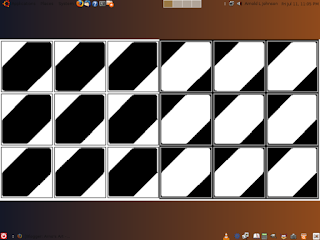 I think this is snazzy, and I made the panels at the top and bottom disappear by using a transparency option. Just right click each panel, select properties, then background, then transparency. I got my idea of African flavor, all I need is marimba and drum sound, a screensaver of rushing herds of various animals and the dashiki I wore in college. So, there you are and in fact if you want to check out what other Gnome users have come up with, head over to www.gnome-look.org or www.ubuntux.org/image. Don't be afraid to wonder or wander in Linuxville, we appreciate the daring and the conventional, show off your stuff and have fun.
 I think this is snazzy, and I made the panels at the top and bottom disappear by using a transparency option. Just right click each panel, select properties, then background, then transparency. I got my idea of African flavor, all I need is marimba and drum sound, a screensaver of rushing herds of various animals and the dashiki I wore in college. So, there you are and in fact if you want to check out what other Gnome users have come up with, head over to www.gnome-look.org or www.ubuntux.org/image. Don't be afraid to wonder or wander in Linuxville, we appreciate the daring and the conventional, show off your stuff and have fun.
Linuxville newspaper editorials
The world, religion, politics and other operating systems, Linuxville residents are effected by it all and your humble Linuxville guide has his own share of opinions and solutions to the mess we live in. Those presidential hopefuls talk big energy stuff, I don't take much stock in what they say because once it filters down through gov channels you'll get the drips and it's tainted water at best. Why do we have less people in the US and use more energy and oil? There are things we can do.
1. Use natural materials whenever possible, like cotton, flax and even hemp. I am so surprised that with all the plant research in the US we haven't developed a hemp with zero drug value. We should find ways not to use plastics in disposable items, like grocery bags and foam cups and plates.
2. Let the Asians consume the efficient car business if US car makers don't and can't get the message. I would like to have my guzzler replaced and recycled, not resold to another driver. You need to make a business out of getting rid of the old car technology that everybody owns today. Where is the energy efficient truck? Where is the big ad that says an electric car uses less gas and oil than a conventional car. Let's see, an eCar around home and a train between cities......
3. We should redesign the big household energy users, air conditioning, home heating units, water heaters and dishwashers. The retrofit market should be bigger than the new builds market. We could trade them for efficient cars. That's real trade policy folks.
4. Somebody has got to design efficient light bulbs that fit the fancy chandeliers in my house that I use everyday or give me an energy credit to rewire and replace them.
5. Should make energy audits part of house inspection surveys. Energy use should figure into the value of the house.
6. If energy efficient yet powerful Laptop computers are the way to go, energy sucking desktop units should be replaced. A buyback or trade in program should be developed. Gad folks design a Linux based high speed modem/Ethernet unit already.
7. Develop a grass that grows to only 2 inches, no gas mowing necessary. Design attractive ways for US homeowners to get over grass lawn addiction. Low resource gardening should be taught in every home center and garden store.
I realize this is a diversion from usual Linux fare but Linux penguins are feeling the heat too.
1. Use natural materials whenever possible, like cotton, flax and even hemp. I am so surprised that with all the plant research in the US we haven't developed a hemp with zero drug value. We should find ways not to use plastics in disposable items, like grocery bags and foam cups and plates.
2. Let the Asians consume the efficient car business if US car makers don't and can't get the message. I would like to have my guzzler replaced and recycled, not resold to another driver. You need to make a business out of getting rid of the old car technology that everybody owns today. Where is the energy efficient truck? Where is the big ad that says an electric car uses less gas and oil than a conventional car. Let's see, an eCar around home and a train between cities......
3. We should redesign the big household energy users, air conditioning, home heating units, water heaters and dishwashers. The retrofit market should be bigger than the new builds market. We could trade them for efficient cars. That's real trade policy folks.
4. Somebody has got to design efficient light bulbs that fit the fancy chandeliers in my house that I use everyday or give me an energy credit to rewire and replace them.
5. Should make energy audits part of house inspection surveys. Energy use should figure into the value of the house.
6. If energy efficient yet powerful Laptop computers are the way to go, energy sucking desktop units should be replaced. A buyback or trade in program should be developed. Gad folks design a Linux based high speed modem/Ethernet unit already.
7. Develop a grass that grows to only 2 inches, no gas mowing necessary. Design attractive ways for US homeowners to get over grass lawn addiction. Low resource gardening should be taught in every home center and garden store.
I realize this is a diversion from usual Linux fare but Linux penguins are feeling the heat too.
Thursday, July 10, 2008
later that same day.....
Well. all is quiet again, the rain has stopped, the gloom and doom have been set aside. Samba works but I still need to understand it, then tweak it. In any event I am sharing a network folder between Ubuntu and XP on separate machines. If the docs weren't in geekonese, perhaps it would be easier to cipher. Boy, I had forgotten how awkward XP really is. I always wondered why the file explorer, the most useful tool, is so buried in the menus. My Computer is such a psyche. Just show me my file tree. No need to harp, just use it. What MS thinks are improvements amount to marketing joe-whooie. Eventually we all will have to accept Vista as OK, else wait several years for more of the same to be ready. I am deciding on an agenda, a lot depends on the direction a new job takes me. At our Linux class we were given a demo of OpenOffice.org's Draw. It is a very impressive vector graphic program sort of like Adobe Illustrator. Vector graphics have the unique talent of being able to be resized, scaled without losing proportions. These drawings are right at home in any of the OpenOffice.org programs, Write, Calc, and Impress. In the demo, one of the guys showed us how to make beer labels (for homemade brewski) and prepare them to print out on Avery type stickybacks. The ease of using Draw was eye opening. I got it for free with my Ubuntu installation. I got another application that does the same type of drawing. It is called Xara Xtreme. This started out as an application on the MS Windows platform. I also snagged a video from YouTube on its' features. It is way cool. The problem I am having is that I just don't have the time to spend to get deep into the applications. If there is anything that Linux is lacking today it is stories of users actually using the applications. This includes blogs, video how-tos and user support tips and tweaks. I am guilty of this myself and will have to slow down, get a little closer to the practical Linux. It's not as exciting as a whirling cube with moving video but eminently more useful. Maybe I will explore one of these applications by doing some project and present a demo to the Linux class myself. Better get on it, see ya later.....
It's alive, it's alive
The house was dark and the storm outside only made it worse. Rain was blowing sideways, wind howling and I thought I had heard the worst of it until lightning struck the house. Night became day for an instant, I thought I heard movement in the other room. I peaked in, the computer that sat on the shelf booted itself and began to have a life of its' own. Dag man, I said, if your going to choose a life, why you choose XP? Well I have a couple. First I do have XP as a virtual machine, which works fine but, sharing resources is a bit of a problem if you don't have enough memory. I installed Solid Edge, a 2d/3d drafting package. It worked but demanded more memory so there was the performance hit. So, until I get some more memory for my Linux box, I resurrected a MS machine to handle the drafting programs. Hey, you ask, doesn't Linux have drafting software? Yes it does but, they are not the popular choice in use among draftsman and engineers in business. I do have one Linux package called Qcad which I am exploring. Qcad's development has been slow probably due to the lack of interest for engineering graphics on the Linux desktop. It's the chicken and the egg thing all over again. Which comes first, the product or the user base. I don't know why I coupled XP's resurrection with a lightning strike, the metaphor doesn't match the slow process to get it installed. This is a practical thing to get at engineering software that only runs on MS, so don't get puffy. I think you folks in Linuxville will understand and forgive my indulgence. Anyway, I get to try out Samba and remote desktop and other things that lets Linux computer peak into MS Windows computers. Ya see, every monster is another opportunity to discover more of Linux.
Tuesday, July 08, 2008
Front porch in Linuxville revisited
You know, backyards and attics are kind of private worlds, it's good to retreat once in a while, get some perspective on things. My all time favorite place is the front porch. From there you can choose to engage the whole world or sit back and be a spectator. Surveying Linuxville you can see things in a good light and select at your leisure what you wish to get involved with. Like looking at people, you can almost see their genetic make-up in their faces. Some faces are are so familiar, some so similar to others. In college a couple of African med students said I reminded them of some folks they knew back home. I am talking about Linux. 400+ distros and on the surface they each seem so unique. The GUI makes some distros so similar, they could be clones. Put Xfce on any distro and you have the Xfce look and feel. The same with KDE or Gnome or any of the desktops and window managers. Look at people faces, no makeup or with makeup to express any assorted appearance agenda. Content, well, some are more talented than others in certain areas, but the thing that matters is always the same. The applications are the same whither on Ubuntu or Fedora, OpenOffice.org is OpenOffice.org. People just like to compare and fuss, that is in their nature. This is too much, I like this, I hate that, this is lame, this is excellent and that is not enough. Many of you don't remember the folk song about little boxes made of ticky tack, all made the same. When the WWII soldiers came home, neighborhoods sprang up like a rash. It was more economical and efficient to build them the way they did, small lots, close together to share resources and to accommodate the numbers. Sounds like the marketing strategy of a certain software company. It met the need for the time but how cool is a 60+ year old house with aluminum siding and amenities designed for your grand parent's day. Well, you can buy into it all or move on to something suited to the present reality. Even if you don't buy into this unabashed Linux promo, you have to wonder why in the face of the digital divide do we still feel throwing scarce dollars at the teaching of technology problem will solve it. Forget about paying Mr. Gates and Mr. Jobs for their digital enslavement. OpenOffice.org and other open source software are valuable to train students to use the tools that are out there. Other than Nike, who asks a runner if they wear Nike shoes as a perquisite to race. Businesses should expect you to be able to use a word processor, it shouldn't matter the brand, there is not much difference between them anyway because we expect certain things to be in the applications. We compare free with commercial and say what's the catch? OpenOffice.org will run on MS Windows or Linux. I would rather push Linux but am probably already asking too much to consider open source. No. Part of the technology solution is putting tools in the hands of students. They will continue to lack those tools if we require them to buy them from vendors whose main business is to extract those dollars. Linux is free, open source software is free, they are valuable learning tools and resources that can be tapped today. You see speaking from one's front porch gives you a little strength compared to none on a soapbox in the square. I have my humble beginnings and I have learned a few things, I can't consider myself an extraordinary individual, geek, genius or tech guru but, having to adapt to many environments in the working world I see what could have made life better for me if it were available at that time. Linux and or open source is the way to go today. If you still feel to throw money at Steve and Bill, therapy might help. Even deep discounts and signed co-operation agreements can't beat free.
Sunday, July 06, 2008
Attics and Antiquity
Backyards are fun but the best rummaging is done in the attic. I'm not talking about an actual attic though some I have met still have old, by computer standards, digital treasures. In the virtual attic of my experience with computers I can remember when it started. It was not that long ago and it was entirely unintentional on my part. High school had not prepared me for what came next. I won't tell you the whole story as old guys like to do but, I got a job in a library at a university. I never knew what an opportunity shelving books became for me. I got to see what everybody was reading, foolishness to highbrow to extremely technical or medical. Of course the magazines were the hardest to sort and shelve but the easiest to browse and glean. Here I discovered Byte Magazine which was the most visual of the computer hobbiest mags. I didn't understand much of what was written but it was fascinating. This was in 1971, there were personal typewriters, no personal computers in my life. The library had card catalogs, even the reference desk didn't have a computer. I would always hear of the exploits of engineering students, making black or blue boxes for illegal phone use and playing dungeons and dragons on the campus mainframe. Personal computing was becoming real and changing the world but I wasn't taking it too seriously. I read Popular Science and Popular Mechanics because they always announced the new technologies. The August 1976 issue of Popular Electronics which I also read, was pivotal for me. "Build the Cosmac Elf, a low-cost Experimenter's Microcomputer. I still have a copy of the article I downloaded later in 2000. It was before Commodore and Atari and Sinclair 1000, used a RCA 1802 CPU, which was used in space satellites. It really set the home hobbiest market on fire and my imagination. If you were a computer hobbiest in those days, you were familiar with making your own pc boards, wire wrapping and soldering, it was known as home brewing. I was tied up in family making and church and didn't have the time for that early geekness. Eventually I got a Sinclair 1000, a Z80 computer with 16k of memory and membrane keyboard.
 This was the Cosmac Elf, boy was this intriguing, simple machine code and filling your hands instead of a whole room of switches and relays.
 This was the Sinclair 1000, which is what I wound up with because I was not that tech savvy at the time. I am so glad for pre-built hardware and now pre-compiled software. Computers were a lot of work in the beginning. Today most users gripe if an application doesn't install properly or even if things are pre-installed, we say, "is that it?!". Being a little near the beginning of this adventure, I appreciate some of the effort that went into making all this as simple as pressing a button and clicking an icon. My first really practical computer was a Daewoo 286 that ran MS Dos. When I got it, my wife became a computer widow. The rest is history and is still unfolding in your life today. It is hard to predict how this will evolve, even older ideas are revamped and redeployed. Will we see one device that can do all communications or a number of devices that do their functions well? Will we see a resurgence of mainframes or servers that offer subscription services or an opposite push to own your own. The one thing is for certain, it is hard to realize what is going on when you are in the middle of it. Heck, there are still folks alive who fiddled with machine code, used paper tape and remember the sound of rooms of clicking relays. It wasn't that long ago.
 This was the Cosmac Elf, boy was this intriguing, simple machine code and filling your hands instead of a whole room of switches and relays.
 This was the Sinclair 1000, which is what I wound up with because I was not that tech savvy at the time. I am so glad for pre-built hardware and now pre-compiled software. Computers were a lot of work in the beginning. Today most users gripe if an application doesn't install properly or even if things are pre-installed, we say, "is that it?!". Being a little near the beginning of this adventure, I appreciate some of the effort that went into making all this as simple as pressing a button and clicking an icon. My first really practical computer was a Daewoo 286 that ran MS Dos. When I got it, my wife became a computer widow. The rest is history and is still unfolding in your life today. It is hard to predict how this will evolve, even older ideas are revamped and redeployed. Will we see one device that can do all communications or a number of devices that do their functions well? Will we see a resurgence of mainframes or servers that offer subscription services or an opposite push to own your own. The one thing is for certain, it is hard to realize what is going on when you are in the middle of it. Heck, there are still folks alive who fiddled with machine code, used paper tape and remember the sound of rooms of clicking relays. It wasn't that long ago.
Saturday, July 05, 2008
Kickin around the backyard.
Ever wonder out into your back yard, take it all in, oooh, what's that?? The to-do list suddenly comes into play. Ubuntu has an assortment of apps that are pretty good but, on closer inspection (if you care to look) not up to my fussy work habits. It's a good thing it is so easy to add or remove programs. Also there are a good assortment of other programs that just might to the job. First on my list is F-Spot photo manager. What I don't like about it is the way it could generate multiple copies of photos, folders, ablums etc. Maybe I didn't spend enough time to understand how it works but, I shouldn't have that impression in the first place. So I removed F-Spot and installed digiKam and showFoto in its place. These apps are from the KDE side and are a little more predictable in how they work. DigiKam doesn't have it's own file management system, it uses the folders and such that are already in place in the system file manager. You can attach your camera and download pics, no problem. ShowFoto has all kinds of tools to tweak and fix photos. So while you folks are still figuring out F-Spot, I'm done. Then there is the famous and highly regarded Gimp. The Gimp is wonderful but not so easy to understand. So I installed Krita and mtPaint and Xara Xtreme along side it. Krita is from the KDE side, is easy to use and does a few things that Gimp does not. MtPaint is like MS Paint but for Linux and Xara Xtreme is like Adobe Illustrator. It is time consuming to get into the depths of any application and unless you really have a need or interest in using these apps you will be a hit and run user like me. Tutorials are a big help else I'd be returning to pencil and paper. One of the big lacks in graphics on the Linux desktop is CAD. Computer Aided Drafting/Design on the Linux desktop is always under development and there is none with the reputation, market presence and user base that matches AutoCad on the MS Windows platform. Linux has a load of niche market successes in various graphics industries but has not been taken seriously as of late. This is really strange because larger engineering firms all had mainframes that ran Unix and there are a number of engineering softwares that run on Unix. The engineering workstation, once supplied by mainframe application and file servers have mutated into desktops that locally host applications in MS Windows or Linux. It is hard to believe that Unix softwares were ported to the more regarded MS platform instead of Linux, the close cousin. And like with drivers and utilities, companies that develop CAD software for the MS platform refuse to develop Linux counterparts. Money is talking here but they always say "if the user base was there". Me, I've been an electrical draftsman for years, using AutoCad and have hoped for a Linux version or the ability to run the latest in Wine and am now looking at the virtual machine. I think a memory upgrade is in order. But the biggest roadblock is the price of AutoCad, it's staggering. Then, why buy the big AutoCad package with all the bells and whistles when they are not required in electrical drafting. There are less expensive alternatives and more electrical oriented applications but, AutoCad somehow hangs on as the standard. A curious thing, in the field of printed circuit board design and IC chip design, there are some very good Linux applications that have been around for years. In engineering and in my geographical area, mechanical drafters/designers are common and electrical is kind of rare. As Cad applications go, mechanical is the focus and electrical an afterthought in the whole Cad world. New electrical engineering applications strive to consolidate the whole design work flow, elimanating the number of people required. Today an engineer can design and model, prove and test and then generate all the documentation, schematics, wiring diagrams, physical wire routing and packaging, in one or two applications, no need for a string of subordinates and staff like in the old days. The only thing that saves my job is time. Most engineers don't have time to do it all. On the other hand it is kind of cool to be able to use just a few applications to get the job done. It is a terrible thing to move files from one application to another then to another, things can happen, stuff can get mangled or lost. I am very much at the crossroads career wise, draftsman or techie or both in some mutated mind melt. I am use to wearing a number of hats, being multi focused, running more that one operating system, yet I still find it difficult to multi-task and store/recall endless info and facts on demand. I'm glad I have this here backyard to kick around in, size things up, think things over. Who knows what will be the next Linuxville adventure?
Thursday, July 03, 2008
Be at peace with your preference!
There are so many kinds of Linux users, newbies, fanboys or fangirls, fanatics, distro loyalists and a gamut of others. Some insist the distro they use is better, strive to prove it and push with arrogance and narrowed persuasion until you submit or at least agree. The turn around is when they attack another distro because it's more popular, has more press or more hype. I compare this to our car buying habits. At one time if you didn't buy American you were thought of as radical, not normal or elitist or even sophisticated or had discriminating taste. When foreign cars became more accepted, the perceptions changed. One thing was certain no matter what car you buy, it had to be drive worthy on American roads and not lacking in what American buyers want. In Linuxville, users tussle over the desktop, the utilities and all the options. They try their best to apply the market mentality to Linux. Most users think the distro with the most users, wins. So far Linux provides too many choices to sift out a clear and decisive victory for any distro. Ubuntu comes in many flavors, like Lifesavers candy. Just when Ubuntu has raised the bar, Kubuntu stands up. The difference between Ubuntu (Gnome) and Kubuntu (KDE), little things. The out of the box looks though different often fade as users tweak to a more personal look and feel. The change is inevitable because you can change it. MS nor Mac simply don't offer the ability to change the look and feel of the desktop to the degree that Linux gives to normal users. So these last few Linux years have been a call of the wild with compositing desktop effect addons becoming integrated into the GUI. Added to this is the improvement of management programs and each distro finds a following of invigorated users. But Linux is Linux like a car is a car. Of all the choices you find something you are comfortable with, usually the first one you struggle to understand. You discover your way around it, do what you can with it and announce to the world how cool it is. Dirty little secret, cheese for different markets might be cut off the same block. A grille choice and interior fabric choice might differentiate standard from luxury on a car line. What about Linux? Try one on, wear it for a while, get to know it, change it if you must. Be at peace with your choices. If folks are making other choices, that is their choice. Changes usually find their way into almost every distro because Linux is not one distro or another. What would be really helpful is if Linux users would spend a small part of their bandwidth exploring and explaining the various applications. So what if Linux can be as supple as a chameleon for looks, but what is and how to use Krita, Neverball, Lphoto or VLC? The homepages for these say little and docs only get you started. What do you say about these? Make webpages, do you use Bluefish or Kompose or are you locked in with Dreamweaver? I reported I had to give up wobbly windows to use VirtualBox. Is that a software and/or a hardware limitation? How about a PC hardware book that assumes Linux instead of just Microsoft or a networking book that explains networking with Linux? This generation likes to be on the cutting edge, but things on the edge come and go. Step back from the edge a pace, things are a tad bit more clear, more defined. There is a Linux that is in regular use and users are finding Linux can be used for daily work. In Linuxville there are visitors and there are residents. I do Ubuntu, a neighbor does Suse, another something else. Once you settle in, sameness and difference are features of the same Linux. When Linux becomes practical, show and tell has substance and the GUI becomes a way to get to the applications, the real thing Linux is good for. I reiterate, be at peace with your Linux choice.
Tuesday, July 01, 2008
As if I was new to Ubuntu, again.
Went to the Ubuntu Linux class last night. We demoed copying and burning a live-CD in Nero (on XP). Then we booted from the CD into Ubuntu 7.10 and explored the 3 big necessities of computing, namely internet, productivity apps and games. In Ubuntu, Firefox is standard and there are a few others available, like Flock, Seamonkey (Mozilla Suite formerly Netscape), and Opera. These we didn't cover. I have said before, it is the file format that matters. I'm talking to you folks stuck with MS Works and refusing to buy MS Office. The office suite OpenOffice.org is free and functually equivalent to MS Office. If you must have the proffessional suite, by all means buy MS Office, but if you are a casual user, don't waste your money, get OpenOffice.org. Then we looked at Evolution, the email/news client. You could also use Thunderbird, Seamonkey or several other Linux email clients. These all have PIM (personal info management) bells and whistles. And lastly the one no one can do without, games. It has been said that Linux does not have any games. That is one statement that needs to be revised. Do you actually think that the "techies" who write Linux software could survive without games? Linux does not have many Microsoft games. There are hundreds of games of all types. They may be similar to games you already know, some not familiar at all. But also some games of Microsoft vintage might be ported to the Linux platform. I really don't know, I am not a avid gamer. Anyway for folk who casually game, the assortment is kind of mind boggling. I myself like Billard-gl, a 3d pool sim, Neverball, Neverputt, SuperTux, like Mario Bros, and Frozen-Bubble. If you are a first shooter fan, there's a bunch of them. For fanatics, please get an X-Box. Linux has got all the bases covered. Linux is not an overnight sensation. The Linux/Unix lineage goes back before Microsoft and Apple ever existed. A new or different computing platform does take a little time to learn, but you have to realize, if it were just like Microsoft or Mac it would be a clone. What would be the point in that? So, you got your work cut out for you, a world exist out there to explore. Like another neighborhood or city or country, somethings are the same, many things different. Come for a visit or move in.
Saturday, June 28, 2008
Still in disguise
A friend of mine brought the why MS XP in a window question to me. He never gave me time to answer, so I had time to think about it. My purpose is to access the MS Internet Explorer only web sites that are the rage with government and charity groups. I could have used Wine or similar emulation software. Being a techie/user I do need to keep a finger on what other folks are using, gotta keep my skills up. But in these tough and tight times, let me paint a little picture so you can know what's behind my thinking. First are those people who insist that a Mac is better and easier than MS on a PC. Well, which is better, a Cadillac or a Lexus (where's my consumer's report)?? For the price of either I can buy two smaller, not bad looking, fully decked, fuel efficient Toyotas or other cars. Now, is it status, prestige or other ego driven values that say you must have the high price car. Now, I just can't see stiffing Mr. Gates to pay Mr. Jobs only to be locked into a different but similar deal. OK, in any case you've already invested in MS or Apple, and have to live with it, right? I bought an HP desktop. Included in the package was MS XP with MS Works productivity suite. This Works is incompatible with regular MS Office files and formats. I could not afford or justify buying MS Office for my occasional use. Many, many users I know would shrug shoulders and say, I will use this until I can afford to buy, borrow or steal (secretly) MS Office. The open source movement has provided a free office suite called OpenOffice.org. It will produce documents that can be saved in MS Office compatible files and formats. If you only use it occasionally, like most home PC users, it is more than adequate for you to acquire and use. Your first reaction (typical), "It's not Microsoft, Microsoft is what everybody else is using." The truth is, the only thing that matters is the file format. As long as the software makes a .doc file, that is all that's necessary. Business users might have a tussle if you are prone to using macros and using Microsoft propriety programming, but you, the average home user have the liberty to have your needs met at no expense. There is a web site, http://www.webi.org/ which has a long list of softwares that are open source and free and run on MS PC's. Please don't give me that MS/Mac quality of software argument, you are biased by familiarity. Don't think that today's open source and free software developers aren't also former, present or future, MS/Apple employees. That side of the world is more than you know. And would you hire a guy/gal who made shoddy software before they came to you for work?
Well, many of these open source softwares run on Linux and MS Windows, a few on Mac. Linux offers a stable platform and virtual machines allow MS Windows to run on the same machine at the same time. Linux has a reputation of being complicated and user unfriendly. Reputations "never" keep up with the present reality if it has indeed changed. I would even say Linux is as easy if not easier to use than using a Mac. Mac is a closer cousin to Linux than most will admit, at least a better looking one some will say. We are so swayed by desktop placements, arrangements and all that stuff. Once we get used to one desktop, it's hard to change or consider another. So, if you are committed to living with your MS desktop and your budget is strained and yet need adequate software, look into to free and open source applications. Save your stimulus package money for a hardware upgrade or a new Lexus.
Well, many of these open source softwares run on Linux and MS Windows, a few on Mac. Linux offers a stable platform and virtual machines allow MS Windows to run on the same machine at the same time. Linux has a reputation of being complicated and user unfriendly. Reputations "never" keep up with the present reality if it has indeed changed. I would even say Linux is as easy if not easier to use than using a Mac. Mac is a closer cousin to Linux than most will admit, at least a better looking one some will say. We are so swayed by desktop placements, arrangements and all that stuff. Once we get used to one desktop, it's hard to change or consider another. So, if you are committed to living with your MS desktop and your budget is strained and yet need adequate software, look into to free and open source applications. Save your stimulus package money for a hardware upgrade or a new Lexus.
Friday, June 27, 2008
duh duh-duh...........duh
I bet you didn't recognize me.......... I sitting here, it's sunny, near 80 degrees, in a trenchcoat, fedora and sunglasses. Folks in Linuxville know somethings going on, but they just can't say what. The joke of the western movie is that all the store fronts have nothing but cactus and brush behind them. Science fiction and spy movies on the otherhand....... The most intriguing part of any spy movie is the unassuming store front, a secret door and a whole different world behind it. It's the best part of Maxwell Smart or James Bond or Men in Black. What am I talking about, well I've been tinkering with XP as a virtual machine in Virtualbox on Ubuntu. This is what it looks like........
 I still LOL, Windows in a window!! Anyway, after you do a normal install within the virtual machine, you can if you choose go through the pain of SP3, anti-virus (AGV) and if you plan on playing DVD's, codecs. I couldn't find a codec for XP I didn't have to pay for, so I turned to open source. I installed VLC which has been ported to run on several platforms. It comes with the needed codecs. So now I can view commercial DVD's and do internet in my secret room. There is still work to do as I've got to find ways to share data with the host system other than burning CD's or a jump drive. Virtualbox OSE or open source edition I found has some limitations with file sharing. I think I need Samba or similar, I will check it out. It would seem a small thing for an operating system, even a virtual one to view and access the whole hard drive that it is on, but no. Even a virtual Microsoft assumes it is the only one on your drive. Yellow tape and fake construction crews are also spy movie stuff. I'll be dressed in cognito as needed and I'll let you in on it, need to know bases, of course.
 I still LOL, Windows in a window!! Anyway, after you do a normal install within the virtual machine, you can if you choose go through the pain of SP3, anti-virus (AGV) and if you plan on playing DVD's, codecs. I couldn't find a codec for XP I didn't have to pay for, so I turned to open source. I installed VLC which has been ported to run on several platforms. It comes with the needed codecs. So now I can view commercial DVD's and do internet in my secret room. There is still work to do as I've got to find ways to share data with the host system other than burning CD's or a jump drive. Virtualbox OSE or open source edition I found has some limitations with file sharing. I think I need Samba or similar, I will check it out. It would seem a small thing for an operating system, even a virtual one to view and access the whole hard drive that it is on, but no. Even a virtual Microsoft assumes it is the only one on your drive. Yellow tape and fake construction crews are also spy movie stuff. I'll be dressed in cognito as needed and I'll let you in on it, need to know bases, of course.
Thursday, June 26, 2008
Virtual virtuosity and other stuff
Suppose you wanted to run several OS's in Virtualbox but you are wary of having all those large .iso files hogging up disk space, though liking the live-CD concept you rather have access also to your main OS while running the guest OS. Virtualbox allows you to run the .iso from off the CD instead of from off the hard drive. If you copy all those .iso files onto a DVD you can satisfy all the above requirements. The live-CD normally boots to takeover the computer, but in Virtualbox it runs as if it were another application on your main system.You could put a whole bunch of these .iso files on a DVD. And yes, the guest OS has access to network and internet I/O through the host OS. Since MS windows doesn't come as a .iso file, I don't think it can be burned to a bootable CD or DVD, but don't quote me on that. Run Mac OSX on Linux? That I know nothing about.
The main things I suggest to all you folks who hang onto older computers (you have your reasons), is that technology advances at the expense of the older technology. "It still works" is no longer a valid reason to keep it. Not only do companies no longer support those things, but the user base moves on to new products also. This means the knowledge of those things wanes and disappears. So, if your hardware is 5 years old or more, consider newer stuff or at least serious upgrading. Todays software requires more efficient CPU's and ample memory. The rule of thumb is to buy as much as you can afford first off, the tendency is not to upgrade unless you are forced to. Even if you get a good middle of the road processor, get 1 or 2 gig of memory. Vista requires 2 gig for good performance, Linux will run well in 512mb but the more the better, especially if you plan to do desktop effects or virtual machine. With memory, more is better.
Another thing to realize is what comes with the computer, I'm talking about wired or wireless.
Desktop users usually get wired but a great, great number of folk only consider laptops. Wireless connections in Linux have been a source of debate, contention and failure on the part of wireless equipment makers. They just can't seem to embrace the idea of Linux support. So, if you are buying a laptop and perchance might have a Linux future, you might want to research Linux wireless support for said laptop. What have other Linux laptop users been successful with?
As for my last piece of advice, "it's the network". I know the economy is sluggish or tight, depending on your perspective, and the cost of aquiring assistance with your PC hardware and software is going up too. Or maybe you just can't find knowledgable "and" helpful folk in the same person. If you own one these new fangle things called a computer, it might be a good idea to consider joining a computer club or user group. I am considering this as I don't know it all and I could use the networking, suggestions, help, resources, etc, etc, etc. The cost of membership is not that stiff and the committment in time is flexible. This kind of networking is good for all sorts of info that's on your level of experience. Older folk seem to do this more than younger folk. In the group where we have the Linux classes, there was a lady who used machine code and paper tape and did business programming, a guy who just bought his first computer and in between guys like me. It all makes for interesting conversations and laughs and support. The connections can help your career and on your resume you are involved in the community and continuing education for yourself. Linuxville has curbside cafes, you can kick back with a cool drink, light snack, wave at passerbys, chit-chat, dream, and explore ideas........
The main things I suggest to all you folks who hang onto older computers (you have your reasons), is that technology advances at the expense of the older technology. "It still works" is no longer a valid reason to keep it. Not only do companies no longer support those things, but the user base moves on to new products also. This means the knowledge of those things wanes and disappears. So, if your hardware is 5 years old or more, consider newer stuff or at least serious upgrading. Todays software requires more efficient CPU's and ample memory. The rule of thumb is to buy as much as you can afford first off, the tendency is not to upgrade unless you are forced to. Even if you get a good middle of the road processor, get 1 or 2 gig of memory. Vista requires 2 gig for good performance, Linux will run well in 512mb but the more the better, especially if you plan to do desktop effects or virtual machine. With memory, more is better.
Another thing to realize is what comes with the computer, I'm talking about wired or wireless.
Desktop users usually get wired but a great, great number of folk only consider laptops. Wireless connections in Linux have been a source of debate, contention and failure on the part of wireless equipment makers. They just can't seem to embrace the idea of Linux support. So, if you are buying a laptop and perchance might have a Linux future, you might want to research Linux wireless support for said laptop. What have other Linux laptop users been successful with?
As for my last piece of advice, "it's the network". I know the economy is sluggish or tight, depending on your perspective, and the cost of aquiring assistance with your PC hardware and software is going up too. Or maybe you just can't find knowledgable "and" helpful folk in the same person. If you own one these new fangle things called a computer, it might be a good idea to consider joining a computer club or user group. I am considering this as I don't know it all and I could use the networking, suggestions, help, resources, etc, etc, etc. The cost of membership is not that stiff and the committment in time is flexible. This kind of networking is good for all sorts of info that's on your level of experience. Older folk seem to do this more than younger folk. In the group where we have the Linux classes, there was a lady who used machine code and paper tape and did business programming, a guy who just bought his first computer and in between guys like me. It all makes for interesting conversations and laughs and support. The connections can help your career and on your resume you are involved in the community and continuing education for yourself. Linuxville has curbside cafes, you can kick back with a cool drink, light snack, wave at passerbys, chit-chat, dream, and explore ideas........
Wednesday, June 25, 2008
Another day with Ubuntu
You know, users have to have a strange mixture of quickness and patience. Like you got to hit the keys to get at the systems boot settings or wait for stuff to download and install. The skillful can do it without a hint of frustration. It is an acquired skill. Been looking for work lately, which requires much the same skill. In my virtual Linuxville abode, I've also been playing with Virtualbox. This is a great program. It allows you to run one operating system as the guest of another. This means that I am running say XP as if it were an application inside of Ubuntu Linux. I could have used an emulator, but they are limited compared to running the full OS. So, this morning I installed XP as a guest virtual machine in Virtualbox which runs on Ubuntu Linux. I actually installed it 3 times because I could not get the mouse to work correctly. It took 3 times before I realized it was not a problem with XP or with Virtualbox or with Ubuntu Linux. The problem was with the Desktop Effects that I had enabled. I saw this in one of the forums while googling for answers. I turned off the desktop effects (no more wobbly windows) and it all worked fine. I just can't wobble and go virtual at the same time, no big deal. Why do this? I no longer have to dual boot which means using one OS or the other. Virtual machines means both OS's running at the same time. Of course this also means sharing resources, if you have less than 512MB of memory things might be a tad bit slow or not run at all. But, having most of what I need in Linux there are only a few things I want that only run in XP. As much as I do not care for MS Internet Explorer, many government agencies have concluded that MS IE is the standard. These government web sites only work correctly with MS IE. Sorry Firefox fans, your gov does not care for security or your access ability. What's the upside to this? Running XP as a virtual machine means that MS does not dominate my computer, to see it in a small window makes me laugh and I can delete the installation with one click, no harm done. You can even fool your friends by running XP full screen, they won't even know Linux is there.
The other thing here is I got a DVD-rom drive. It doesn't burn but it reads so that is a big upgrade to my system. Ubuntu provides many DVD tools but codecs for reading commercial DVD's are found elsewhere on the internet. I'll leave it too you to haggle over legal or illegal. A number of Linux distributions come as a bootable DVD iso. They contain everything, OS, applications, everything. I will get a burner in the distant future. Why not empty your filling hard drive of vulnerable photo collections and music files onto DVD's for safe keeping.
I guess I got to get back to work looking for work, see ya!
The other thing here is I got a DVD-rom drive. It doesn't burn but it reads so that is a big upgrade to my system. Ubuntu provides many DVD tools but codecs for reading commercial DVD's are found elsewhere on the internet. I'll leave it too you to haggle over legal or illegal. A number of Linux distributions come as a bootable DVD iso. They contain everything, OS, applications, everything. I will get a burner in the distant future. Why not empty your filling hard drive of vulnerable photo collections and music files onto DVD's for safe keeping.
I guess I got to get back to work looking for work, see ya!
Saturday, June 21, 2008
Herding Cats or Care and feeding of users
I have 6 of them, so I know, cats are all the same but different. The cat nature is colored by the individual cat personality. This presents a problem at critical times like when it's time to go to the vet. Cattle are like dumb sheep compared to cats. Computer users are much like cats because though we are all doing the same things we are staunch individualist when it comes to our world in front of the computer. I have required the use of a Rosetta Stone to talk with some users, their colorful way of describing things is another language entirely. I have often been confronted by user arrogance and or frustration because they can't explain it or think the words are stupid and refuse to use them. Try that in another country. And we are talking about another country here, though in the Microsoft PC and Mac worlds we say much the same things, the Linux world can be a different dialect. How easily we can assume because computer words are part of our common language, we think we know it already. In the Microsoft PC and Mac worlds, many things are hidden from the user. If you don't see them you are hardly going to talk about them. In Linuxville there are no hidden rooms, though with the advent of the modern GUI, you can closed the door, somewhat. My point is that things are a little different in Linuxville, a user is required to communicate on a higher level. Knowing what to say, how to say it and what it all means is just part of being in the community of Linux users. This is from where support for your Linux system comes. Believe me, you'll never get your "clicky thingy" fixed if you don't call it a mouse. If you are new to Linux, keep your ears open to how things are said on web sites, forums and techie friends who are trying to help you. In any country, speaking the language opens a whole new world. Learning the local dialect gets you past the front desk, the first cab, the best wine list and winks and smiles from guys like me who wonder where you're coming from. First lesson you learn from herding cats, meows are not a language (neither is barking for dog lovers). Animals tend to communicate with gestures, postures, but with us expressive hand/face movements only emphasize, they don't explain. So, my encouragement to you new to Linuxville is to learn to talk techie, put on the geek words, nerdalize yourself and soon your be talking like a native. Oh yeah, in Linuxville "the finger" is for the mouse button.......
Thursday, June 19, 2008
Settling into Linuxville
You know it's really cool to try all the whiz bang and flash of all the latest gadgets but there comes a day when you must settle down and get some work done. I've said before being a distro hopper is not the greatest thing to be. By the time you've tried everything on one end, stuff on the other has changed. When I started blogging compositing was the rage and you had to add special sauce to get the effects. Today much of that flash has been integrated into the desktop GUI, that's progress. Now I don't have to work so hard to get the earth shattering effects that filled YouTube with geekness.
And I get to choose the level of effects so that my work flow is not hampered and in fact is enhanced. So to sum it all up I now dual boot Ubuntu 7.10 with Ubuntu 8.04 and will soon have XP as a virtual machine on Ubuntu 8.04. I think Ubuntu is very solid, the tweaks and upgrades have done their job well. I had problems previously with Xubuntu and Kubuntu 8.04. I think it was the download quality or a faulty burned disc. All is great today. Linux is too broad for distro loyalty to supersede the freedom of choice. But, once you settle in, two things become apparent. Once installed and you learn what you have, upgrade fever goes away. Things that are the rage today become integrated features tomorrow. The other thing is that the GUI is not the focus, the apps are. The apps are the same from distro to distro. You don't have to install the KDE desktop in order to use apps based on KDE libraries, if you are using the Gnome desktop. The proper libraries are installed when you install the program. The same is true for Gmone based apps. This is why Linux is so cool, all the parts can work together.
So, what's hot on my desktop? I am still raving over Elisa Media Center. No, it is not like MythTV. MythTV takes advantage of a TV tuner card and internet streaming and is one big setup. Elisa is focused on what you have stored on your computer. Elisa will play the locally stored picture files, video files, and audio files playlist style and then also does some internet streaming. While Elisa can signal out to a connected TV, it does pretty good on your monitor as well. And besides most use their computer one user at a time, the MythTV setup is overkill for that. MythTV is meant for the home theater or living room. And since most folk don't spend hours on end in front of their computer, Elisa is perfect for those short YouTube videos. I got a good collection of 2 min to 1 hour flash movies.
 You are looking at the Blue Man Group on Elisa, normally it's full screen, but just hit "F" and it shrinks, escape to exit. They must have done an upgrade because the quality of video is better. That other window with the see-thru background is the terminal or command line interface. To get the screenshot I used "Take Screenshot" and to shrink it for the blog I used the "GIMP". You can have all sorts of fun if you don't whine about it's not like Macs or MS Windows.
Nobody buys a Chevy and says it's not like a Ford or Toyota. You just got to open your eyes and see what's there, if you don't like it, don't use it, peroid. There's much more adventure ahead, see ya when we get there.
And I get to choose the level of effects so that my work flow is not hampered and in fact is enhanced. So to sum it all up I now dual boot Ubuntu 7.10 with Ubuntu 8.04 and will soon have XP as a virtual machine on Ubuntu 8.04. I think Ubuntu is very solid, the tweaks and upgrades have done their job well. I had problems previously with Xubuntu and Kubuntu 8.04. I think it was the download quality or a faulty burned disc. All is great today. Linux is too broad for distro loyalty to supersede the freedom of choice. But, once you settle in, two things become apparent. Once installed and you learn what you have, upgrade fever goes away. Things that are the rage today become integrated features tomorrow. The other thing is that the GUI is not the focus, the apps are. The apps are the same from distro to distro. You don't have to install the KDE desktop in order to use apps based on KDE libraries, if you are using the Gnome desktop. The proper libraries are installed when you install the program. The same is true for Gmone based apps. This is why Linux is so cool, all the parts can work together.
So, what's hot on my desktop? I am still raving over Elisa Media Center. No, it is not like MythTV. MythTV takes advantage of a TV tuner card and internet streaming and is one big setup. Elisa is focused on what you have stored on your computer. Elisa will play the locally stored picture files, video files, and audio files playlist style and then also does some internet streaming. While Elisa can signal out to a connected TV, it does pretty good on your monitor as well. And besides most use their computer one user at a time, the MythTV setup is overkill for that. MythTV is meant for the home theater or living room. And since most folk don't spend hours on end in front of their computer, Elisa is perfect for those short YouTube videos. I got a good collection of 2 min to 1 hour flash movies.
 You are looking at the Blue Man Group on Elisa, normally it's full screen, but just hit "F" and it shrinks, escape to exit. They must have done an upgrade because the quality of video is better. That other window with the see-thru background is the terminal or command line interface. To get the screenshot I used "Take Screenshot" and to shrink it for the blog I used the "GIMP". You can have all sorts of fun if you don't whine about it's not like Macs or MS Windows.
Nobody buys a Chevy and says it's not like a Ford or Toyota. You just got to open your eyes and see what's there, if you don't like it, don't use it, peroid. There's much more adventure ahead, see ya when we get there.
Monday, June 16, 2008
Do you Ubuntu?
I know, I know, there are so many distros out there in Linuxville, why do you Ubuntu. First and foremost, there is the popular interest. People are having a lot of positive experiences with Ubuntu, this means a lot of feedback which stirs up development efforts. Then, the Ubuntu community is putting forth learning materials and documentation. Some distros though great, just don't reach out to that extent. I already mentioned about the well stocked repositories of pre-compiled software, ready to install and with new efforts for drivers and utilities from those propriety hardware vendors, it seems Ubuntu is continually improving at a good clip. It would seem any of the Ubuntu flavors would be a good pick but Ubuntu in particular is well suited for newbie folk and for this distro hopper. I have used Xubuntu and Kubuntu and I liked them with fanboy zeal, but I have to say Ubuntu itself has progressed quite well. At one time it was RED HAT Linux that was the popular learning Linux, now it's Ubuntu. Then you must see there is a whole new crop of interested users that are not maintaining servers or writing software for a living. These desktop users actually want and like using the GUI, so with Linux this is a new school. Now that Linux has made itself ready for the desktop, people are slowly coming to know about it. Here is a shot of my desktop to whet your appetite......
 Hey, don't get too excited, this desktop is tame compared to what I've seen. Anyway I went to this Linux learning thing put on by the Lorain County Computer Users Group or LCCUG for short. This group is mainly a MS group, but interest in Linux and open source has created a spark. This is a good thing because in northeast Ohio, the Akron Linux Users Group is the only one not showing signs of giving up. There was a hint of exploring maybe a Ubuntu Linux Users Group in the future. Today we looked at installing Ubuntu on a laptop and pushed around some terminology. The training material is found on the Ubuntu web site. It is based on Ubuntu 7.10. If you are in my neck of the woods on Monday night, come and see. The LCCUG has a web site, www.lccug.com with details. To get you hooked up to Ubuntu go to www.ubuntu.com
Then as a newbie or nubi or nooby, check out www.fullcirclemagazine.org/ and download the mag, real cool.
In the real world and in northeast Ohio, things suck on many fronts. The visionary folks want to create an atmosphere where innovation and technology can flourish. Fighting for thinly stretched resources as it is, everybody thinks they can't do anything. Linux and open source allows us to freely use what we have available to us to compute and develop technical stuffs to keep on going. So we have tools we don't have to pay a lot for and it is up to us to talk about how we can use them. Don't wait for Bill or Steve to rescue us, it ain't going to happen. To bring the Silicon Valley type thing to northeast Ohio, all the technology workers need to talk to each other. The free flow of ideas and exchange of possibilities is regular faire in Linuxville. Even a little town like Bedford, Ohio has an internet cafe. If you want something in Lorain, start with talk........exit the soapbox.
 Hey, don't get too excited, this desktop is tame compared to what I've seen. Anyway I went to this Linux learning thing put on by the Lorain County Computer Users Group or LCCUG for short. This group is mainly a MS group, but interest in Linux and open source has created a spark. This is a good thing because in northeast Ohio, the Akron Linux Users Group is the only one not showing signs of giving up. There was a hint of exploring maybe a Ubuntu Linux Users Group in the future. Today we looked at installing Ubuntu on a laptop and pushed around some terminology. The training material is found on the Ubuntu web site. It is based on Ubuntu 7.10. If you are in my neck of the woods on Monday night, come and see. The LCCUG has a web site, www.lccug.com with details. To get you hooked up to Ubuntu go to www.ubuntu.com
Then as a newbie or nubi or nooby, check out www.fullcirclemagazine.org/ and download the mag, real cool.
In the real world and in northeast Ohio, things suck on many fronts. The visionary folks want to create an atmosphere where innovation and technology can flourish. Fighting for thinly stretched resources as it is, everybody thinks they can't do anything. Linux and open source allows us to freely use what we have available to us to compute and develop technical stuffs to keep on going. So we have tools we don't have to pay a lot for and it is up to us to talk about how we can use them. Don't wait for Bill or Steve to rescue us, it ain't going to happen. To bring the Silicon Valley type thing to northeast Ohio, all the technology workers need to talk to each other. The free flow of ideas and exchange of possibilities is regular faire in Linuxville. Even a little town like Bedford, Ohio has an internet cafe. If you want something in Lorain, start with talk........exit the soapbox.
Sunday, June 15, 2008
mean while, back at the ranch.....
Curious thing, I installed Kubuntu 8.04 with KDE 3.5.9 and enjoyed the liberty of a free range chicken, but since installing the KDE 4.0 desktop along side, I can't access my whole hard drive, only the booted partitions. Then the KDE 8.04 remixed version came with some nifty Plasma widgets, what I have now has very few. I went on the internet, www.kde-look.org, and folks are obsessed with meters and gauges, very scarce are ones that do things with user files. It would be nice if folks produced some really useful widgets instead of remakes of what others have done already. So, I think I have gone as far as I am going to go with Kubuntu 8.04 and put it on the back burner status. My warning to all is don't be a distro hopper like me, although the live-cd makes it easy, once you settle on a distro, updates usually keep up the newness. It is so tempting to jump on the new feature bandwagon and try out things before they are nailed down solid.
Taking a step back, I installed Ubuntu 7.10 on my main box. What got me was the time it took to update afterwards. Folks have really put out the bug fixes, tweaks and enhancements. It is so so so hard to say which I like best, KDE or Gnome desktop, it's the reason I used Xfce for a while. It was tough for some time because desktop effects were complicated add-ons. Now they are integrated into Gnome, you just have to activate them and woooo, wobbly windows!! Gnome is simpler in many ways and probably more approachable to new users, but I've learned that it's all in the way it's explained. I am willing to bet that people who switched from MS pc's to Macs because they were told Macs are better and easy would find Ubuntu with Gnome even easier and no slouch in quality. What's more it's free!!!!! I can't get over people wanting to stiff Bill and pay Steve. Anyway, I have Ubuntu 7.10 because our local computer user's group is having some Linux learning classes using it and I am going to pick up tips and tricks and share experiences. There has been a steady demise of Linux groups in northeast Ohio. The old guard, mostly server folk and coders are thinning out, the new users, mostly curious mouse manglers, don't seem to care about getting together. Need to consider new kinds of bait to attract new users, forums are cool to a point but, to have face to face with local enthusiast is a real community experience.
Taking a step back, I installed Ubuntu 7.10 on my main box. What got me was the time it took to update afterwards. Folks have really put out the bug fixes, tweaks and enhancements. It is so so so hard to say which I like best, KDE or Gnome desktop, it's the reason I used Xfce for a while. It was tough for some time because desktop effects were complicated add-ons. Now they are integrated into Gnome, you just have to activate them and woooo, wobbly windows!! Gnome is simpler in many ways and probably more approachable to new users, but I've learned that it's all in the way it's explained. I am willing to bet that people who switched from MS pc's to Macs because they were told Macs are better and easy would find Ubuntu with Gnome even easier and no slouch in quality. What's more it's free!!!!! I can't get over people wanting to stiff Bill and pay Steve. Anyway, I have Ubuntu 7.10 because our local computer user's group is having some Linux learning classes using it and I am going to pick up tips and tricks and share experiences. There has been a steady demise of Linux groups in northeast Ohio. The old guard, mostly server folk and coders are thinning out, the new users, mostly curious mouse manglers, don't seem to care about getting together. Need to consider new kinds of bait to attract new users, forums are cool to a point but, to have face to face with local enthusiast is a real community experience.
Friday, June 13, 2008
Dorothy and the Electro-luminenscent-spiked heeled shoes.
Dorothy is standing with three misfits who defy the odds and come out heroes. She had little clue as to the power of her red sparkley shoes whose obvious undocumented attributes are revealed in time. So when you are in say Linuxville, wearing the said shoes of note or dubious reputation and realizing all actions are dependent upon following exact instructions, please listen. Learn to speak the language and respect the rules. After a whirlwind ride on Kubuntu 8.04 with KDE 4.0 Remixed you get the idea, finally. It is a very exciting and workable concept but it is still short of all the bells and whistles that help you get real work done. As long as you didn't need superuser permissions or you stayed within the point and click realm you are good to go. KDE 3.5.9 is just great and I'm going to explore what Superkaramba is about while I wait for them to perfect KDE 4.0 with Plasma and plasmoids and all that. What would be cool is to switch between the 3.5.9 desktop, the Plasma desktop and say Kuartet or something like it. Innovation is alive and well in Linux........
News flash******
I am startled and amazed, I was playing around with my KDE 3.5.9 desktop and decided to install SuperKaramba and surprise, KDE 4.0 desktop was installed as an alternative choice. I can't retrace my mouse clicks or I'd tell you about it. But what a discovery!! That remixed Kubuntu had me in a bind, so many tools were left out. Now I can see if this thing is worth the effort. See you all down the road, I'm off to play........
News flash******
I am startled and amazed, I was playing around with my KDE 3.5.9 desktop and decided to install SuperKaramba and surprise, KDE 4.0 desktop was installed as an alternative choice. I can't retrace my mouse clicks or I'd tell you about it. But what a discovery!! That remixed Kubuntu had me in a bind, so many tools were left out. Now I can see if this thing is worth the effort. See you all down the road, I'm off to play........
Wednesday, June 11, 2008
Linux and the Strawman's brain
Well, I am all the way into the KDE 4.0 experience and it is a rad different from 3.5. It's called PLASMA and has a Mac like dashboard that sports "widgets" and can even use Mac widgets that are html based. The stock widgets (plasmoids) so far are pretty cool but few in number. Here's what I think is needed:
1) a video player widget to play video files much like the slideshow picture player.
2) a good snazzy calculator
3) widget for the missing manual for the OS and the KDE user guide or a tip of the day.
4) the fix for the comic strip viewer (I can't get Delbert!?!)
5) an PDA widget to do all the PDA stuff, including sync with actual PDA (actual/virtual)
6) a am/pm digital clock, 24 hour time is bogus for the uninitiated and the stressed.
7) an audio file player (of course)
8) Plasmoid front-ends for existing programs, esp multimedia apps
9) a Trash-bin, recycling hot spot, de-resolution receptacle, black-hole or bit-shredder.
This is my short list, I wish I were able to devise some of these myself, it might be fun.
Then some of the things users like myself might like:
1) mouse-centric users would like kicker icons for obvious keyboard shortcuts. Like Ctrl-F12 for the Dashboard or Ctrl-F8 to show all work spaces. OR that upper right corner hot spot should evoke the dashboard in the widget locked state.
2) give that Kicker bar the ability to appear/disappear (use Tux/Win-key), some transparency would be nice.
The new KDE 4.0 is a mix of old school and new. It is a platform for new things to happen. You could try a number of arrangements and still maintain a basic and familiar jump off point. Compared to KDE 3.5, KDE 4.0 is less flexible and configurable but more focused and functional.
KDE 4.0 and beyond is shaping up well and looks good to this desk jockey.
Now to enhance your Oz experience, the official Linuxville guide gives you words to implant into your deepest conversations:
1) Commercializing and branding doesn't prove an OS is better or more secure or the standard.
2) Linux is actually easier to use and understand than Macs/OS X.
3) Linux has lots of games, just not MS games.
4) Gui's only skin deep, yeah, yeah, yeah!!!!!OS ugly is to the bone.
OK, click your red mouse button three times and chant "There's no place like Gnome"............
1) a video player widget to play video files much like the slideshow picture player.
2) a good snazzy calculator
3) widget for the missing manual for the OS and the KDE user guide or a tip of the day.
4) the fix for the comic strip viewer (I can't get Delbert!?!)
5) an PDA widget to do all the PDA stuff, including sync with actual PDA (actual/virtual)
6) a am/pm digital clock, 24 hour time is bogus for the uninitiated and the stressed.
7) an audio file player (of course)
8) Plasmoid front-ends for existing programs, esp multimedia apps
9) a Trash-bin, recycling hot spot, de-resolution receptacle, black-hole or bit-shredder.
This is my short list, I wish I were able to devise some of these myself, it might be fun.
Then some of the things users like myself might like:
1) mouse-centric users would like kicker icons for obvious keyboard shortcuts. Like Ctrl-F12 for the Dashboard or Ctrl-F8 to show all work spaces. OR that upper right corner hot spot should evoke the dashboard in the widget locked state.
2) give that Kicker bar the ability to appear/disappear (use Tux/Win-key), some transparency would be nice.
The new KDE 4.0 is a mix of old school and new. It is a platform for new things to happen. You could try a number of arrangements and still maintain a basic and familiar jump off point. Compared to KDE 3.5, KDE 4.0 is less flexible and configurable but more focused and functional.
KDE 4.0 and beyond is shaping up well and looks good to this desk jockey.
Now to enhance your Oz experience, the official Linuxville guide gives you words to implant into your deepest conversations:
1) Commercializing and branding doesn't prove an OS is better or more secure or the standard.
2) Linux is actually easier to use and understand than Macs/OS X.
3) Linux has lots of games, just not MS games.
4) Gui's only skin deep, yeah, yeah, yeah!!!!!OS ugly is to the bone.
OK, click your red mouse button three times and chant "There's no place like Gnome"............
Tinkering with the Tin man's heart
You know one of the things that always gets to me is that the folks who design things for the rest of us to use tend to make design concessions on things that matter. I had a '74' Gremlin hatchback and the headlight burnt out. The headlight assembly had screws with five different heads. Should I replace the headlight or the car or trace all over the city to find five different screw drivers? Having been a Linux user for a while, I recognize radical departures when I see it and this new KDE 4.0+ is a change. Ubuntu has this thing about normal user and superuser privileges. In traditional Unix or Linux, you would make two accounts, one for the root or superuser and then a normal user account. The idea was always with security in mind. The root account was for doing administrative tasks on your system, the normal user was for doing regular work. When you are the only user on a computer, do you really need these two accounts? There are schools of thought of course. So, distro developers have devised a way to be a normal user yet invoke superuser privileges. The "sudo" command is always talked about with a touch of distain by Linux oldies, inspite of the handiness of it. What am I fussing about? Well, in Xubuntu 7.10 you could just open a terminal, type sudo, then the program name, and presto, you were into superuser mode while using your selected application. There was ample warnings that you could change or damage your system, but you only needed it for the brief moment anyway. In my case, I just want to make sure I have rights to access the Virtualbox files. In Kubuntu 8.04 with KDE 4.0 there seems to be no friendly way to get to user accounts, add or change permissions and continue on. If you are going to change how the interface handles admin chores, you have to remind the application writers that their applications must adjust for those changes also. If admin chores are a thing of the past (old school), then new apps shouldn't use old school means for installation and maintenance. OR, you must establish a root user account at the Linux install. Then, when you do something that requires root user priviliges, ask the user for the password for that kind of access. Also, in KDE 4.0+, when is a file not a file? When it is on the desktop. Move a file from the file manager to the desktop or download a file to the desktop. Those files do not have drag and drop ability. On the desktop, they are different than simple files, more like the widgets on the desktop. So, in my workflow I need superuser access to change settings, priviliges, move files to secure locations, etc and I need to change my habits so that I can freely move about Linuxville. I think they want to eliminate putting file icons or folder icons on the desktop. Oh yeah, did I mention, where's the trash can? Old habits die hard!! The old dog has just encountered an electric fence, the Tin man needs an upgrade. Again I want to thank all you forum people, your tips and tricks make using any Linux distro very accessible. But things that should be common knowledge among users need to be documented, nailed down. Once you explain it and a user does it a few times, it all becomes so clear and easy. The Tin man, he takes a lickin and keeps on tickin.
Tuesday, June 10, 2008
behind the curtain in Oz
When and if you ever get to see the wizard behind the curtain in Oz you might be disappointed with the man, but you got to admire his toys!! What I did was install the latest Kubuntu 8.04 but not with KDE 3.5. They have what's called a "Remixed version" with KDE 4.0+. It was kind of scary as I was expecting all sorts of flash and thunder of eye candy that would melt my eye balls and turn my Mac and MS friends Martian green, with their tongues hanging and panting, "Somebody slap me!!"or is it "Somebody stop me!!" Instead I was greeted with coolness, suave, and polish. This approach says that a spinning cube (or tornado) is not needed to bring you to OZ.......and I got here without incident.
OK, here I am in OZ and the stupid yellow street leads in all directions, the short in statue folk are very helpful but only hint at where you might be headed and what will happen to you. Linux is a reality TV show and you need a good GPS, a even better set of ears and a Rosetta stone. Adventure awaits you and Indiana Jones (sounds better than Kansas Jones) type experiences are normal in this neck of the woods ( some call it the cutting-edge, some deforestation). If you have the luxury of owning a pencil, it might be a good idea to write down and document your travels because the bread crumbs found in the forums are not very life sustaining no matter the delight at finding them, thanks folks. Let's see, doctors need med records, lawyers need legal docs, builders need blueprints, and you need a business plan to start a business, but we Linux users have survived and flourished with "the missing manual". "Fahrenheit 19", a classic movie, is a terrible metaphor for storing and retrieving information. If you can not find people of the exact experience you are left to experiment on your own. Are you caught between "Not me man, I'm not going first" and "Yeah, I been there, done that!" in your Linux use? I say all this to point out the importance of the Linux how-to. Linux is not an ego-fest for knowledge experts (a very closed sourced attitude), collaborate, co-ordinate and give us the play by play. Don't tell us to RTFM when there isn't one (yes, Mepis has one).
Where am I?..........
 I am here in my laboratory and I have installed widgets on my desktop, yeah, you can do that in KDE 4, but how do you put them on the "Dashboard" so that you can get at them with a key or mouse click and not have them welded to every desktop??? I want to know! OR, where is the how-to?? You are supposed to be able to use OS X widgets also. How do you install them hmmmmm??? I hear music in the background, darts whizzing through the air and a huge boulder with human residue on it coming toward me. Oh, I'm not in Kansas anymore, I'm clicking my sneakers but no lights (unlike the neighbor's kids) and the pages I need in the phone book were torn out by the previous caller. In the phone booth I rip open my shirt, damn, forgot my tux super suit. I dropped my car keys down the grate. Falling to my knees, the yellow dust stains my pants and I cry out, "Stella, Stella". Who's Stella?.......and who decided a 24 hour clock is better that AM, PM???
I could snap out of this with a reboot to another Linux version, but I like this place. Kubuntu 8.04, the remixed version with KDE 4.* is very cool and has potential and polish. What is needed is some documentation to make it "ready for the desktop" (LOL). "If you explain it, they will come", oh, that's concerning baseball. You need a recipie for others to make the cake that you enjoyed making from scratch. The dab of mustard in the batter is better than on the top of the finished cake, don't you think?? So, we got the content (Linux of choice) and the gui (face of Tux), and the finicky, picky, choosey user (me!). Life is sweet in Linuxville!!!!!!
OK, here I am in OZ and the stupid yellow street leads in all directions, the short in statue folk are very helpful but only hint at where you might be headed and what will happen to you. Linux is a reality TV show and you need a good GPS, a even better set of ears and a Rosetta stone. Adventure awaits you and Indiana Jones (sounds better than Kansas Jones) type experiences are normal in this neck of the woods ( some call it the cutting-edge, some deforestation). If you have the luxury of owning a pencil, it might be a good idea to write down and document your travels because the bread crumbs found in the forums are not very life sustaining no matter the delight at finding them, thanks folks. Let's see, doctors need med records, lawyers need legal docs, builders need blueprints, and you need a business plan to start a business, but we Linux users have survived and flourished with "the missing manual". "Fahrenheit 19", a classic movie, is a terrible metaphor for storing and retrieving information. If you can not find people of the exact experience you are left to experiment on your own. Are you caught between "Not me man, I'm not going first" and "Yeah, I been there, done that!" in your Linux use? I say all this to point out the importance of the Linux how-to. Linux is not an ego-fest for knowledge experts (a very closed sourced attitude), collaborate, co-ordinate and give us the play by play. Don't tell us to RTFM when there isn't one (yes, Mepis has one).
Where am I?..........
 I am here in my laboratory and I have installed widgets on my desktop, yeah, you can do that in KDE 4, but how do you put them on the "Dashboard" so that you can get at them with a key or mouse click and not have them welded to every desktop??? I want to know! OR, where is the how-to?? You are supposed to be able to use OS X widgets also. How do you install them hmmmmm??? I hear music in the background, darts whizzing through the air and a huge boulder with human residue on it coming toward me. Oh, I'm not in Kansas anymore, I'm clicking my sneakers but no lights (unlike the neighbor's kids) and the pages I need in the phone book were torn out by the previous caller. In the phone booth I rip open my shirt, damn, forgot my tux super suit. I dropped my car keys down the grate. Falling to my knees, the yellow dust stains my pants and I cry out, "Stella, Stella". Who's Stella?.......and who decided a 24 hour clock is better that AM, PM???
I could snap out of this with a reboot to another Linux version, but I like this place. Kubuntu 8.04, the remixed version with KDE 4.* is very cool and has potential and polish. What is needed is some documentation to make it "ready for the desktop" (LOL). "If you explain it, they will come", oh, that's concerning baseball. You need a recipie for others to make the cake that you enjoyed making from scratch. The dab of mustard in the batter is better than on the top of the finished cake, don't you think?? So, we got the content (Linux of choice) and the gui (face of Tux), and the finicky, picky, choosey user (me!). Life is sweet in Linuxville!!!!!!
Sunday, June 08, 2008
There is only one Linux!!!
When I say there is only one Linux you can imagine the groans and gasps of disagreement coming from every direction. In the software universe it is true there is only one Linux. This one Linux consist of volumes of source code that is compiled and configured to run on different platforms, then lumped together to form the various distributions. Don't blame me for the habit of naming every Linux formulation. But in a way it is like conquering a mountain and putting a flag on it. But you have to thank so many folk who have managed to do this feat, so you don't have to do it yourself. And it still doesn't take away your freedom and right to do this if you want to. The thing to realize is that a distro is the beginning, if you want to change it, you can.
I admit I am a distro hopper and I am trying to find the sweetspot in Linux. You all heard me say there is no one distribution that does it all or has it all. So I am looking for the broadest approach. So far the Debian distro's are winning in my book with special kudos to Ubuntu. Ubuntu's repositories seem to have the widest assortment of applications pre-compiled for easy installation. Besides having a full repository, you want not to have to install Flash and Java apps into Firefox or what ever browser you are using. This is becoming better even as we speak, Linux developers are no longer waiting for Adobe to do the job for Linux. It is a shame for proprietary standards to be in common use and controlled by the ignorance, arrogance and whim of the closed source owners. As long as this is the case there will never be open computing.
Back to my distro hopping, I have done things I swore I wouldn't do. But I see some things have changed, so I took the liberty. Even though I don't have an official "old machine", I have used Xfce desktop, quite snappy and somewhat good looks. I have to admit KDE though large in comparison to Xfce is still nimble enough for me not to complain about speed. And because I am so changeable, I like KDE's ability to change with me. I have tried KDE 3.5 and while still not liking the complexity, found a descent arrangement. Then as I reported that I after being a Xubuntu fanboy for a while switched to Mepis. I really like Mepis but Mepis doesn't have the easy install of applications that I was looking for. Again, the extensive repository of pre-compiled programs is a big draw. Why compile yourself when you can point and click?? So, I revisited the Ubuntu forest and installed Kubuntu 8.04 over my Xubuntu 7.10. I was so pleasantly surprised, the install went very well, no problems like in my previous encounter with 8.04 (Xubuntu and Ubuntu).
The first thing to notice is that the latest KDE has been cleaned of clutter and confusion, even given a little polish. This KDE version 4 is kind of likable. It has elements I have liked in other OS's and Linux desktops. They didn't try to include everything so you might have to add some stuff, but it is a solid base, change or no. KDE is like Macs in some ways and like MS in some ways but these are ways that users are accustomed to seeing and as always if you need to change it, you can. The difference between Mepis and Kubuntu, not much but the pre-compiled software repositories of Ubuntu gives it an edge. Ubuntu, being a more international distro does have the media codec issue to contend with, but additions are easy to get at.
So if you are exploring Linux or are a distro hopper like me, consider these things:
1) There is only one Linux over all, but distro's have been made to narrow down your choice.
2) A full repository of pre-compiled easy to install software is what you want.
3) Make your /home directory a separate partition. If you are a change fanatic like myself you won't have to do constant backups. You can use the same /home partition with any Linux install.
4) A little Linux goes a long way. Upgrade fever is replaced with continual improvement.
I admit I am a distro hopper and I am trying to find the sweetspot in Linux. You all heard me say there is no one distribution that does it all or has it all. So I am looking for the broadest approach. So far the Debian distro's are winning in my book with special kudos to Ubuntu. Ubuntu's repositories seem to have the widest assortment of applications pre-compiled for easy installation. Besides having a full repository, you want not to have to install Flash and Java apps into Firefox or what ever browser you are using. This is becoming better even as we speak, Linux developers are no longer waiting for Adobe to do the job for Linux. It is a shame for proprietary standards to be in common use and controlled by the ignorance, arrogance and whim of the closed source owners. As long as this is the case there will never be open computing.
Back to my distro hopping, I have done things I swore I wouldn't do. But I see some things have changed, so I took the liberty. Even though I don't have an official "old machine", I have used Xfce desktop, quite snappy and somewhat good looks. I have to admit KDE though large in comparison to Xfce is still nimble enough for me not to complain about speed. And because I am so changeable, I like KDE's ability to change with me. I have tried KDE 3.5 and while still not liking the complexity, found a descent arrangement. Then as I reported that I after being a Xubuntu fanboy for a while switched to Mepis. I really like Mepis but Mepis doesn't have the easy install of applications that I was looking for. Again, the extensive repository of pre-compiled programs is a big draw. Why compile yourself when you can point and click?? So, I revisited the Ubuntu forest and installed Kubuntu 8.04 over my Xubuntu 7.10. I was so pleasantly surprised, the install went very well, no problems like in my previous encounter with 8.04 (Xubuntu and Ubuntu).
The first thing to notice is that the latest KDE has been cleaned of clutter and confusion, even given a little polish. This KDE version 4 is kind of likable. It has elements I have liked in other OS's and Linux desktops. They didn't try to include everything so you might have to add some stuff, but it is a solid base, change or no. KDE is like Macs in some ways and like MS in some ways but these are ways that users are accustomed to seeing and as always if you need to change it, you can. The difference between Mepis and Kubuntu, not much but the pre-compiled software repositories of Ubuntu gives it an edge. Ubuntu, being a more international distro does have the media codec issue to contend with, but additions are easy to get at.
So if you are exploring Linux or are a distro hopper like me, consider these things:
1) There is only one Linux over all, but distro's have been made to narrow down your choice.
2) A full repository of pre-compiled easy to install software is what you want.
3) Make your /home directory a separate partition. If you are a change fanatic like myself you won't have to do constant backups. You can use the same /home partition with any Linux install.
4) A little Linux goes a long way. Upgrade fever is replaced with continual improvement.
Thursday, June 05, 2008
Back home in Linuxville
My present tech job is ending and I relish the experience. Even the chance to pick at a few Macs allows me to fatten my resume. But I am still left with some after thoughts. If you have made the commitment to Macs or Microsoft in cash investments I'm sure you are in no mood to change. If you are taking a new direction you might want to add Linux into your figuring things out. Apple has done a good job at convincing people that Macs are easier to use than MS or Linux and you pay the price for the tour guide to stay on the path prescribed. If you stray off the path even a little bit, Macs are no different than Linux or MS other than a more polished interface. Staying with the applications your user experience is indeed something to boast about. If you need to be more powerful than the average computer user you have to deal with a more complex Mac. It is similar to Linux in that respect except that Linux is more understandable than the BSD Unix that Macs are based on (from this user's view). But since most Mac users never venture too deeply into the Mac, it is regarded as a point and click appliance. The truth is that Linux can be that way also. You can point and click Linux and you can script and program also. My great discovery is that what Macs have can be had in Linux for free. The advantage of Macs are some presumed polish and a single company behind it (if that is a real advantage). Linux is really the sum of parts compiled to run on various platforms and configured for targeted purposes and customized for the types of users. While out of the box setups have gotten better, the real treasure of Linux is that it can and most often is customized by the users. Then to top it all off, the Apple people are turning to the Intel PC platform. If you are a Mac user you will slowly see your present Mac hardware get old and obsolete. No upgrade path means you will have to buy new stuff if you want to continue to use the Mac OS. You have to note that Mr. Jobs in order to retain the tight market he has will continue to lock the hardware in some way so that other OS's won't run on the same, now common hardware that OS X runs on. In a perfect world you would buy the hardware you want and also the OS you want and go for it. This is not happening. It is too bad that Linux doesn't have a great marketing machine behind it. In another thought I am glad it doesn't. It is kind of hard to summarize Linux in a defined package. The Linux parts can be compiled and assembled in a vast assortment of combinations. So while distributions may be a company's or a person's choices, along with the naming convention, there are gangs of users who agree with those choices and rave about their superior distro. Marketing people and the tech mags are all waiting for the Linux market to shake out and one distro to take the lead. This is not in the nature of the Linux culture because Linux is not a single trademarked product. As long as folks consider Linux by the same measure as Macs and MS, they will miss the point of Linux. Linux is free, about freedom and about choice. Having made these choices, one is amazed at how it still works together. Then the nature of Linux extends into the community that develops it, supports it and uses it. Linux can be a great break glass emergency tool kit or a full time server or desktop OS, your choice. But, be at peace if your brand name loyalty prevents you from wondering or wandering. The sights, the sounds, the smells and the invitation to Linuxville is waiting here for you, if you choose.
Subscribe to:
Posts (Atom)